


Firmware Vnish for Bitmain
( - ,)
FIRMWARE CHANGELOGS
release 1.2.7-stable
🆕 New Antminer models
• S19 XP+
• S19 XP+ Hydro
• U3S19XPH
• S21e Hydro
• U3S21EXPH
🆕 Extended submodel support
• S19 XP — BHB56806
• S19j XP — BHB56804-
• S19k Pro — BHB56907
• S21+ Hydro — H6HB70702, H6HB70704
• S21+ — A3HB70702, A3HB70703
• S21 Pro — A3HB70603
• S21 XP — A3HB70502, A3HB70503
release 1.2.6-stable
🆕 Expanded Miner Support
• Newly Antminer supported models:
• T19 Pro Hydro, S19j XP, S19e XP Hydro, S19 Pro Hydro (120 chips)
• S21 XP, S21+, S21+ Hydro, S21 Immersion, S21 Pro,
• S21 XP Hydro, S21 XP Immersion, T21 with Xilinx and L9
• Antminer submodel support added for:
• S19 XP: BHB56802
• S21 Hydro: HHB68601, HHB68502, HHB68503
• T21: BHB68701-
• S21: BHB68606, BHB68603P, BHB68603-
⚙️ New Features & Enhancements
• Added ability to edit tuned presets
• Chinese language now available in dashboard
• New detailed graph for power consumption
• Shows miner consumption and hashboards from presets (for models without PSU consumption reporting)
• Water temperature widget for Antminer S19 Pro Hydro and S19 Pro Plus Hydro (inlet/outlet)
• Miner Initialization: Quick pause during initialization
• PSU temperature monitoring support
• Automatic preset retuning after repeated “Chain Break Detected” errors
• Comprehensive error system with detailed error codes
• Updated voltage limits for Antminer T21
• Automatic shutdown on any chain error for models without PIC controllers
• Charts now persist after reboot
• Resolved unexpected miner crash
🔧 New Configuration Options
• Preset Switcher options:
• Ignore fan speed and Auto-lower top preset based on temperature
• Chip Throttling: Available for x21 series (excluding S21 Pro)
• Sensor Handling:
• Option to ignore chip temperature sensors (Antminer L9, Antminer S21, Antminer T21, Antminer S21 Imm, Antminer S21 Hydro)
• Option to skip broken temperature sensors
• Startup Control:
• Configurable delay before mining starts (reduces startup power spikes)
• Configurable minimum number of operational boards required to start mining
🔧 Bug Fixes
• Fixed occasional EEPROM corruption
• Fixed issue with pool configuration loss on abrupt shutdown
• Fixed dashboard freezing caused by error handling
• Fixed immersion mode unexpectedly resetting to auto
⚠️ Deprecated Features
• Removed Hotel Pool and `Fees` tab
🌡 Preset & Temperature Control Improvements
• Preset Switcher thresholds updated: RISE at 85 °C and DECREASE at 90 °C
• New presets added for: Antminer S19j Pro+, S19a, S19 XP, S21
• Corrected presets for: Antminer S19e XP Hydro, S19 (76 chips), S19j Pro, S19 Pro+ Hydro, L7 and S19i
🌬 Fan & Cooling Enhancements
• Added maximum fan speed limit for auto mode
• Reduced minimum fan speed during pause to 0%
• Increased maximum fan speed to 90% during preset increase
• Improved fan control logic based on temperature
⚙️ Configuration & System Behavior
• Restart Configs: Max Restart Attempts now defaults to disabled (0)
• TimeZone:
• Added time zone handling for Cvitek
• Full reboot now required when changing time zone
• EEPROM Reading: Accelerated on all boards except XIL
• Default Support: Default board_model assigned for miners without EEPROM
• Logging:
• Logs not saved after reboot on Cvitek boards
• Chip ID shown in logs during overheat events
🌍 User Experience (UX) & UI Improvements
• Dashboard now auto-detects system/browser language at first launch
• Various UI and UX enhancements for improved usability
🔐 Stability, Performance & Security
• Improved autoswitcher and autotune performance
• General system stability improvements
• Strengthened firmware security
• Improved PSU compatibility across supported models
• Added brute-force protection for web interface passwords
💻 API Changes
• Factory Info Enhancements: Added `has_pics`, `psu_model`, and `psu_serial` to response
• New API Fields:
• `summary`: includes `hr_nominal` (theoretical hashrate)
• `info`: includes `build_uuid`, `build_name`
• `metrics`: includes `power_consumption`
• `chips`: includes `throttled` field
release 1.2.6-rc5
📢 New Features:
– Added support for Antminer L9, Antminer S21+, Antminer S21+ Hydro, and Antminer S19 Pro Hydro (120 chips)
– Add advanced option:
– Ignore chip’s temperature sensors for Antminer L9, Antminer S21, Antminer T21, Antminer S21 Imm and Antminer S21 Hydro
– Maximum delay time before mining startup (delayed start of mining to ease power grid/infrastructure load) for all models
– Minimum number of operational boards required to start mining for all models
– Display miner consumption and hashboards from the preset (where the psu doesn’t give out consumption)
⚠️WARNING: Ignore chip’s temperature sensors and Skip broken temperature sensors – disables temperature-based protection. We are not responsible for any damage caused.
🚦 Improvements:
– Optimized fan control based on temperature
– The Stop mining in case of faulty chain behavior — if zero chips are detected on a hashboard, the miner will now enter an error state
– Chip ID is now shown in the logs when overheating occurs due to high chip temperatures
– Corrected model name display for Antminer S19 (126) and Antminer S19 (88)
– Enhanced overall miner stability
– Improved stability of work with pools
– Implemented various UI/UX enhancements
🐞 Bug Fixes:
– Fixed issue where domains would attempt to rebalance during pause
– Fixed issue where pools were lost after a power outage or miner restart
– Fixed miner pausing when resetting a preset or restarting the mining process with Resume mining after reboot disabled
💻 API Changes:
– Programmatically disabled boards are now included in summary/chains API responses
release 1.2.6-rc4
New Features:
– Added support for Antminer S21 Hydro model HHB68601
Improvements:
– Enhanced miner stability across the board
– Implemented various UI/UX enhancements for better user experience
Bug Fixes:
– Resolved an issue where fans were incorrectly marked as lost during initialization if the minimum fan speed was set to 0%
– Corrected sensor functionality during the resume process on Antminer L7
– Fixed autotuning issues for Antminer S21, Antminer T21, Antminer S21 Pro, Antminer S21 XP Imm,
Antminer S21 Imm, Antminer S21 XP, Antminer S21 Hydro, Antminer S21 XP Hydro,
Antminer S19k Pro, Antminer S19 XP, Antminer S19j XP, Antminer S19 XP Hydro,
Antminer S19e XP Hydro and Antminer T19 Pro Hydro
– Addressed incorrect chip hashrate display following frequency downgrades
– Fixed errors related to disabling profiles
– Resolved an issue where the top preset could appear lower than the current preset
release 1.2.6-rc3
New Features:
– Introduced a Maximum speed limit configuration option for the fan in auto mode
– Added a minimum preset option for the autoswitcher
– New widget for monitoring water inlet/outlet temperatures on Antminer S19 Pro Hydro and S19 Pro Plus Hydro models
– Expanded support to include submodels HHB68502 and HHB68503 of the Antminer S21 Hydro
– The dashboard now detects and sets the language based on the browser/system settings at the initial start
Improvements:
– Resolved issues related to User and DevFee pool configurations
– Fixed dashboard freezes caused by error handling
– Enhanced power supply compatibility across different miner models
– Optimized sensor operations on Antminer S21 Pro, S21 XP-Immersion, S21 XP, and S21 Hydro
– System now requires a full reboot when changing the TimeZone
– Added new measures to prevent miner password brute-force attacks
– Strengthened firmware security protocols
– Improved accuracy of miner power consumption graphs
– Enhanced overall miner stability
– Implemented various UI/UX enhancements
Bug Fixes:
– Corrected network test failures upon network setting adjustments
– Fixed issues with cooling mode resets
– Resolved incorrect hashrate displays on chips when chip frequencies are reduced
– Addressed the issue of the dashboard unlocking multiple times
We are committed to maintaining trust and transparency with our community. As a gesture of our commitment and to make amends for the recent service outage, starting Monday, January 6, 2025, we will temporarily reduce our development fee to the lowest possible rate. This reduction will last for several days and is intended to not only compensate for the lost revenue but also to offer additional relief for the inconvenience caused.
Warning:
This is an Early Access version aimed at addressing connectivity issues with DevFee servers (HOTFIX) IN THIS VERSION AUTOTUNING MODE CAN EXCEED PRESET VALUES BY 10-20%
***If your machine was tuned prior to this update, rest assured that everything will continue to function smoothly However, if you tune the machine to a new setting that wasn’t previously adjusted, it may drift to a higher setting and power draw than intended This tuning engine update was still under development when this hotfix was released We anticipate releasing an updated version in the near future
release 1.2.6-rc2
Fixed issues::
– Added support for Antminer S21 XP sub-model (A3HB70501)
– Fixed overclocking settings, preset change, etc.
– Fixed Antminer S19i operation
– Fixed setting of voltages during autotune out of power supply range
– Fixed autotune on Antminer S19e Xp Hydro
– Fixed an issue with applying the Chinese language
release 1.2.6-rc1
New Features:
– Patented Chip Throttling now included Hashrate compensation utilizing cooler chips to keep high performance!
– Added Chinese language support
– NEW: Consumption graph added for detailed monitoring
– Markings added on chips with frequency adjustments due to throttling (x21 series)
– Support added for Antminer S21XP Hydro and S21 XP Immersion
– Fan speed now can be ignored in auto mode when raising presets
Improvements:
– Default voltage decreased for Antminer S19 XP
– Corrected presets for Antminer S19e XP Hydro
– Updated presets for Antminer L7 and S19i models.
– Fixed occasional EEPROM corruption issue
– Fixed immersion mode reset to auto
– Accelerated reading of EEPROM’s on all control boards except XIL- Fixed occasional EEPROM corruption issue
– Improved performance of autoswitcher and autotune features
– Enhanced miner stability
– Various UI/UX fixes
Bug Fixes:
– Resolved issue preventing firmware start after CV update
– Fixed display of active pools in the old API (4028)
– Corrected programmatic disconnection of boards
– Adjusted cooldown timing in Hydro and Immersion modes to prevent extended cooling periods (2min)
– Fixed voltage return issue during adjustment
– Corrected sensor reading errors on S21 Pro and XIL models
API Changes:
– Added ‘hr_nominal’ to the ‘summary’ field for miner theoretical hashrate
– New fields ‘build_uuid’ and ‘build_name’ added to ‘info’ requests
– New field ‘power_consumption’ metric added to ‘metrics’ requests
– New field ‘throttled’ added to’chips’ requests
release 1.2.6-alpha5
New Features:
– Chip Throttling: Now available for the x21 series (excluding S21 Pro).
– Expanded Miner Support:
– Antminer T19 Pro Hydro
– Antminer S21 XP
– Antminer S19j XP
– Antminer S19e XP Hydro
– New Settings:
– Preset switcher: Ignore fan speed and Auto lowering top preset options added.
– PSU Update: Added PSU model name for 0x64.
– Pool Updates: Default pools updated for Antminer L7.
Improvements:
– Autotune Efficiency: Autotune algorithm is now more effective.
– Deprecated Features:
– Removed Hotel Pool.
– Removed the “Fees” tab.
– Restart Configs: The max_restarts field now defaults to disabled (set to 0).
– Additional Presets: New presets available for Antminer S19j Pro+ and Antminer S21.
Bug Fixes:
– Antminer S21 Pro Sensor: Fixed sensor reading issues for S21 Pro.
– Immersion Mode: Fixed prolonged cooling periods in immersion mode.
– Voltage Configs: Corrected default voltage settings for Antminer S19-88 and S19-126.
API Changes:
– API Response: Now only includes active chains. Disabled/disconnected chains will be excluded from the API response.
New Additions:
– Added support for Antminer S21 Imm and Antminer S21 Pro
-Added ‘board_model’ and for miners that don’t have information in EEPROM’s we set an identifying variable
Fixed:
– Fixed crashing if there are no user pools on the miner
New Additions:
- Added support for submodel (BHB68603-) of Antminer S21
- Added lower preset for Antminer S19a and Antminer S19XP
- Added the ability to edit tuned presets
Changes:
- Logs are not saved after reboot on Cvitek
- Changed the name of the diagnostic reports and fixed double archiving
- Increased the maximum speed of fan coolers to 90% for preset raising. Now if the speed is less than 90%, the preset will raise it
- Improved handling of pools
- Enhanced miner stability
- Fixed dashboard layout
- UI/UX changes
Fixed:
- Fixed the pause when switching presets
- Fixed parse EEprom’s for Antminer L7
- Fixed AML sd update
New Additions:
- Added submodel support for Antminer T21(BHB68701-)
- Added support for submodels BHB68606 and BHB68603P of Antminer S21
- Dump EEPROM’s in case of decoding error
Changes:
- Changed flag `Resume mining after reboot` now in order to restore mining this item must be enabled
Implemented quick pause of the miner during initialization - Updated miner diagreport
- Improved work with pools
- Made UI/UX fixes
- Minimum speed of coolers during pause reduced to 0% (for known models that can stop at 0 – Nidec)
- Changed RISE to 85°C and DECREASE temp to 90°C
Fixed:
- Resolved issue with displaying stock information by chains
- Fixed error of setting frequencies at low ambient temperature
- Fixed preset change during decrease to working voltages
API Changes:
- Added ‘has_pics’ field in factory-info
New Additions:
- Added support for Antminer S21 (Amlogic), Antminer S21 Hydro, Antminer T21 (Amlogic/Cvitek), Antminer T19 Hydro, Antminer T21(BHB68703), Antminer S19k Pro (Xilinx), Antminer S19k Pro (BHB56903/BHB56903-/BHB56902-)
- Added widget Performance
- Introduced new presets: preset 9250MH for Antminer L7, lower presets for Antminer S19, and new presets for Antminer S19 Hydro, S19Pro Hydro, and S19Pro+ Hydro
- The dashboard now displays Hashboard factory information and Hashboard temperature after overheating
- Added features for preheating chips and voltage adjustment in automatic cooling mode
- Logs are now saved after reboot
- Invalid CRC EEPROMs are ignored
Changes:
- Now supports the previous format of autotune.json without serial number (1.2.0/1.2.1)
- Reduced the minimum difference between switching temperatures to 5 degrees Celsius
- Recalibrated chip temperature for x21 series
- Updated water temperature checks on Hydro miners
- Adjusted chip temp offset for Hydro miners
- Enhanced autotuning functionality
- Corrected profiles for Antminer S19i and S19 Hydro
- Raised the critical temperature threshold to 120°C
- LEDs now blink faster when activating find miner
- Made minor UI/UX adjustments
- Enhanced miner stability
Fixed:
- Fix for minimum hashrate check when quick start is enabled
- Fix cooling down for fan auto/manual mode
- Resolved false virus detection on Cvitek firmware
- Fixed double compression (diagreport/backup)
- Corrected /docs route
- Fixed memory leaks and firmware hangs on Cvitek
- Resolved configuration loss after power loss
- Improved autotune for Antminer S19i
- Fixed chip detection issue on Antminer S19k Pro
- Resolved double pause issue
- Fixed dashboard hangs with a large number of connections
- Fixed voltage adjustment in immersion and manual cooling mode
- Fixed work with L7 sensors
API Changes:
- Added max_rpm parameter in the fans object on the /summary response
- Added hr_stock to the /summary response
- Introduced new /chains and /factory-info routes on the API
Added
- Add support of Antminer S21 Hydro
- Add preset 9250MH for Antminer L7
- Add new response ‘factory-info’ in API
- Add show chain factory info
- Ignore fans with extra large rpm readings
- Show chain temp after overheated
- Ignore invalid eeprom
- Save logs after reboot
Changed
- Correct temp sensor position for Antminer S21/T21
- Correct profiles for Antminer S21/T21
- Correct presets for Antminer S19 Hydro/S19Pro Hydro
- Chip temperature recalculation for x21 series
- Remove ‘asic_boost’ from settings in API
Fixed
- Fix for minimum hashrate check when quick start is enabled
- Fix cooling down for fan auto/manual mode
- Fix double compression in Safari
- Add support for Antminer S21 (AMLogic)
- Add support for Antminer T21 (AMLogic/CVitek)
- Add support for the Antminer S19k Pro submodel (BHB56903-)
- Add new presets for S19 Hydro and S19 Pro Hydro
- Display serial numbers and stock hashrates miner on the side panel
- Implement heatmaps for Antminer S21/T21
- Include “max_rpm” fan parameter in the fans object on the summary response
- Introduce new ‘chains’ route on the API
Changed
- AUpdate water temperature checks on Hydro miners
- Adjust preset switcher temperature differentials
- Improve autotuning functionality
- Enhance miner stability
- Make minor UI/UX adjustments
Fixed
- Fix memory leaks and firmware hangs on CVitek
- Fix position sensor issues for T19
- Resolve configuration loss after power loss
- Correct profiles for Antminer S19i, S19 Hydro
- Improve autotune issues with S19i
- Add support x21 series
- Add support submodel Antminer S19k Pro (BHB56903)
- Add support Antminer S19k Pro on Xilinx
- Add show chain serial number and hashrate on logs
- Add Performance widget: * When you first install firmware – the widget will be right on the dashboard. * For those who update the firmware, for the widget to appear you need to take it out of the list of widgets.
Changed
- Correction of Antminer S19i profiles
- Minor changes
Fixed
- Fixed detect chips on Antminer S19k Pro
- Fixed double pause when pausing through monitoring
- Fixed false positives of Microsoft antivirus (CVITEK)
- Fixed dashboard hangs with large number of connections
- Add support T19 hydro
Changed
- Raised the critical temperature threshold to 120 C
- Required restart when disable boards from dashboard
- Support old format autotune.json without serial number(1.2.0)
- Leds blink faster when activate find miner
- Add stock hashrate to api request summary
- Support submodel S19k Pro(BHB56902-)
- Preheating chips
- Support miner’s on CVitek
- Voltage adjustment on auto mode
Changed
- Change chip temp offset on Hydro miners
Fixed
- Fixed Display of red led when min fan count is configured and immersion mode
- Fixed voltage adjustment in immersion and manual mode
- Fixed work with L7 sensors
- Implemented skeletal animation for a smoother loading experience on the main screen.
- Introduced a DevFee penalty warning within the hashrate widget for increased transparency.
- Incorporated a silent start and stop mode for the miner, providing a more seamless user experience.
- Added an option to automatically unpause the miner after a complete reboot, enhancing convenience.
- Implemented a feature to automatically lower presets in case of errors or overheating, optimizing miner performance.
- Displayed active pool ping for better monitoring and troubleshooting.
- Added support for the Farsi language, expanding language accessibility.
- Provided visibility of non-functioning coolers on the overview screen for improved diagnostics.
- Introduced automatic voltage adjustment based on temperature for better energy efficiency.
- Implemented adaptive temperature control, enabling auto-switching presets for optimal performance.
- Added the ability to change presets without restarting mining, enhancing flexibility.
- Included a descriptive error message for better understanding and troubleshooting.
- Added an option to limit the number of miner reboots during error occurrences, preventing excessive disruptions.
- Introduced downgraded presets specifically for S19 Pro, catering to different user preferences.
- Included additional presets for S19j Pro and S19 Plus, offering a wider range of options.
- Extended support for S19 XP Hydro and S19k Pro miners, keeping the software up-to-date with the latest hardware.
- Implemented a function to ignore non-working temperature sensors for improved reliability.
- Enhanced API functionality by processing the `devdetails` command on port 4028.
Changed
- Revamped the mechanism for adding new widgets in the dashboard for a more intuitive experience.
- Improved settings recovery and backup block for enhanced data security.
- Enhanced the “Advanced” section with added descriptions of default values for better user understanding.
- Streamlined the interface by removing support for older miner models (17th series and T2T).
- Modernized the “Performance” section for improved user experience.
- Adjusted the model for working with adaptive design, ensuring a cohesive and responsive layout.
- Reduced auto-tuning operating time by up to 50%, optimizing efficiency. After comparing against our competitors this seems to bring us back to the lead yet again!
- Improved LED indications for better identification of miner issues.
- Strengthened the miner cooling function for more effective temperature management.
- Optimized stability and performance of the miner.
- Updated the interface and implemented UX improvements for a more polished look.
- Revolutionized autotune yet again! Redesigned it for “bottom-up tuning,” minimizing peak power consumption during tuning.
- Enabled more options to be changed without restarting mining, providing greater flexibility.
- Updated the default password for the hotel pool to `x`.
- Adjusted chip temperature offset for S19, T19 (from 15C to 10C).
- Set a minimum starting temperature of 10C for hydro miners.
- Migrated to Vue 3 and updated all modules, utilizing a new project builder (Vite 5).
- Ability to reset all chain settings with one button click – Allow to use ‘_’ in pool accounts and workers
Fixed
- Resolved errors in the device firmware update dialog.
- Fixed the appearance of the pool widget when reducing its size.
- Corrected the display size of DevFee for better visibility.
- Fixed links and display issues in release descriptions.
- Improved worker name validation in the “Pools” section.
- Resolved the 404 page issue.
- Fixed the reset of widgets to default locations.
- Corrected the dialog for managing customized presets in mobile mode.
- Addressed auto-filling issues with pools.
- Fixed blinking problems when adding widgets.
- Made corrections in working with pools (stratum protocol).
- Fixed the restoration of the miner config.
- Addressed chip location issues for S19K Pro.
- Fixed sensor operation in S19 Pro Hydro, S19 Pro Plus Hydro.
- Resolved the placement function during miner initialization.
- Fixed the problem of increased consumption after pausing.
- Corrected the function of pausing the miner when there is no active pool.
- NEW AUTOTUNING – automatic tuning of all chips
- Remote firmware installation on A113D (amlogic) control boards from micro USB
- Remote installation of firmware on xilinx (Zylinx) and BB (BeagleBon) control boards without using SD cards directly to NAND
- Support for miners Antminer S19J+;
- Support for miners Antminer S19L
- Limit on the number of miner reboots in case of problems
- Presets (set of automatic settings) for S19a Pro;
Changed
- Updated presets (set of automatic settings) for S19Pro Hydro, S19Pro+ Hydro
- API speed optimization;
Fixed
- Working with Nicehash
- Errors that led to the fall of the miner (error code: 11
- An error that caused the miner to freeze
- Improvements in the interface
release 1.1.12
Added
- Support for miners S19 (88), S19j Pro A, S19 XP
- Network failsafe. If the settings are changed and are incorrect, the device will roll back the previous network settings.
- MAC addresses viewable from the dashboard.
- The ability to return to stock firmware for miners running on our firmware installed on NAND AML and BB control boards.
- Ability to set the the startup voltage. (Useful for those running close to max of breakers or Power Distribution Unit)
- Widgets are responsive now! 4k? 1080p? 480p? It all looks B-E-A-U-T-I-F-U-L!!!!
- Voltage compensation based on the temperature and performance of the miner.
- Voltage checking happens before detecting the chips on the boards. (Important for diagnostics if PSU issue or chip issue)
- EEPROM support for new miner models (Yes even those weird ones) – Ability to remotely install firmware on AML and BB control boards for large customers. Xilinx – SOON 😉
- General firmware optimization and stability changes added prior to auto-tune release (That’s next)
Changed
- Work with network settings (DHCP → Static) – Pool Widget – Board Widget – Fonts and their adaptability
- Expanded optimized interface mode – Location of alerts
- Display firmware version Location (Bottom right)
Fixed
- Fixed an issue that could occur while changing operation of pools by API
- Operation of Reset/IP Report Buttons for AML Control Boards.
- Incorrect baud rate setting for 136x chips
- Inability to generate a diagnostic report
- Operating mode of the device without hashboards connected to it
- Firmware error on some BB models
- Issues with graph ranges not always returning to true value fixed.
release 1.1.11
Added
- Option to disable interface animations (useful when using AnyDesk or Teamviewer)
- Quick” settings panel – More convenient configuration of boards, domains, and chips
- Support for new power supply models – Support for various hashboard modifications
- Console Debug Mode – for administrators only
- Support for Antminer S19+
- Support for Antminer S19i
- Support for Antminer S19 (with 88 chips)
- Support for Antminer S19 Pro A
- Support for Antminer S19j Pro A
- General firmware optimization
Changed
- Improved support for mobile devices
- Enhanced temperature sensor and chip polling
- Pause/resume function support extended to all firmware series
Fixed
- Fixed interface issues when accessed via
- Fixed errors leading to share rejections and decreased hashrate on the pool
- Fixed errors leading to miner restarts – Other bug fixes..
Download the TOOLKIT to install the Vnish firmware
What Firmware Does and Why it Matters
Vnish firmware is designed to optimise the behaviour of Antminer hardware, reduce energy usage, stabilise hash rate, and extend the lifespan of critical components — all without compromising security. Through advanced ASIC optimisation features, miners achieve more predictable performance across different environments.
Complete Virus Protection
Power efficiency is one of the most important metrics in mining, typically measured in watts per terahash (W/TH). Even a small improvement can have a major economic impact. Without optimisation, each additional watt is multiplied across hundreds or thousands of devices, making power costs a critical factor. Using custom firmware for Antminer allows operators to adjust chip voltage, balance load distribution, and reduce W/TH for better profitability.
Electricity rates vary worldwide, so ASIC optimisation is essential for farms working in harsh or high-cost regions. For example, lowering a profile from 30 W/TH to 25 W/TH can save tens of thousands of dollars annually, depending on farm size and local tariffs.
Hashrate Stabilisation
Mining efficiency is measured in terahashes per second (TH/s), but long-term stability is often more valuable than peak numbers. Instability leads to unpredictable income. Vnish firmware performs intelligent balancing between chips, automatically manages fan speeds, and reacts to temperature deviations. This keeps the average hash rate stable even under fluctuating environmental conditions or inconsistent power grids.
For larger farms, the effect is amplified: a 5% performance drop on each machine can result in substantial monthly losses. Custom firmware minimises such issues and ensures consistent operation.
Reducing the Number of Errors
ASIC miners are complex devices where any small issue can disrupt operation. Failures may be caused by overheating, power fluctuations, improper connections, or dust buildup. Properly configured ASIC firmware identifies problems early. If a chip becomes unstable, the system may temporarily reduce its frequency instead of shutting down the entire board — preventing downtime and reducing repair risks.
Vnish firmware provides detailed logs that help administrators analyse errors and respond quickly. This prevents damage to costly equipment and simplifies maintenance planning.
Fan Control and Thermal Safety
Cooling is one of the key elements of miner stability. In Antminer devices, fan behavior is fully controlled by the ASIC firmware, which determines rotation speed depending on chip temperature and environmental conditions. If cooling profiles are not optimised, equipment may overheat or run louder than necessary, leading to premature fan wear.
Using Vnish firmware allows the system to automatically adjust fan speed: during colder seasons, rotation decreases to reduce noise and save resources, while in hotter periods the system increases airflow to maintain safe chip temperatures. This helps prevent abrupt thermal changes, protect solder joints and electrical contacts, and maintain stable ASIC operation.
Durability and Continuity of Operation
Many miners underestimate how firmware affects hardware lifespan. Devices that run without optimisation face higher risks: unstable voltage, temperature spikes and constant overload significantly reduce the working life of chips and power supplies.
Installing custom firmware for Antminer helps achieve a balanced operating mode that supports performance while protecting components. Modern ASIC firmware reduces mechanical wear, prevents overheating, and ensures that even older hardware works longer and more efficiently.
Administration and Control
A major advantage of Vnish firmware is an intuitive interface for managing and monitoring Antminer devices. Users can track performance in real time, view temperature and fan activity, analyse logs, and receive alerts about potential issues. This reduces the need for constant physical presence near the equipment and allows full remote control of mining rigs.
For large farms with dozens or hundreds of ASICs, this is especially important. Automation reduces human error, speeds up diagnostics, and simplifies fleet management, making ASIC optimisation easier and more predictable.
Supported Antminer Models
Choosing the right ASIC firmware for Antminer ensures stable work and better efficiency. Vnish firmware adapts to each model to lower W/TH, stabilise hashrate and improve overall performance.
Antminer S19
The Antminer S19 series is the backbone of many mining farms thanks to its solid performance and acceptable energy consumption. While the stock firmware provides a basic operational level, it lacks flexibility. Vnish firmware for S19 offers:
- reduced watts-per-terahash (W/TH),
- fan curve optimisation,
- multiple performance profiles,
- better stability under different climate conditions.
Users can choose between economy mode (lower PSU load and improved efficiency) or high-performance mode with increased hash rate. The optimal choice depends on the farm’s cooling capacity and electricity pricing.
Antminer S19j Pro
The S19j Pro features upgraded chips and improved energy efficiency. Even on factory firmware, it tends to run more stable than older S19 units. However, optimisation remains valuable.
With Vnish firmware for S19j Pro, miners gain:
- lower fan noise,
- thermal optimisation for hot climates,
- improved PSU compatibility,
- remote monitoring and auto-tuning.
This model responds especially well to tuned voltage and frequency adjustments, making it suitable for both efficiency-focused and high-hashrate setups.
Antminer S19 XP
The S19 XP offers higher performance and better efficiency, but also produces significantly more heat. Heat management becomes the primary limiting factor.
Optimised firmware helps maintain safe temperatures by:
- managing real-time thermal response,
- adjusting the fan curve dynamically,
- balancing chip frequencies,
- preventing overloads during high ambient temperatures.
For the XP series, proper firmware is often not just an upgrade — it’s a necessity for maintaining stable operation and prolonging equipment lifespan.
Antminer S21
The Antminer S21 represents a major step forward with new chip generations, upgraded PSUs and improved cooling systems. Even so, firmware remains critical.
Vnish firmware for S21 allows miners to:
- fully use the device’s performance potential,
- lower energy consumption in efficiency profiles,
- achieve maximum hashrate in performance profiles,
- stabilise operation under variable environmental conditions.
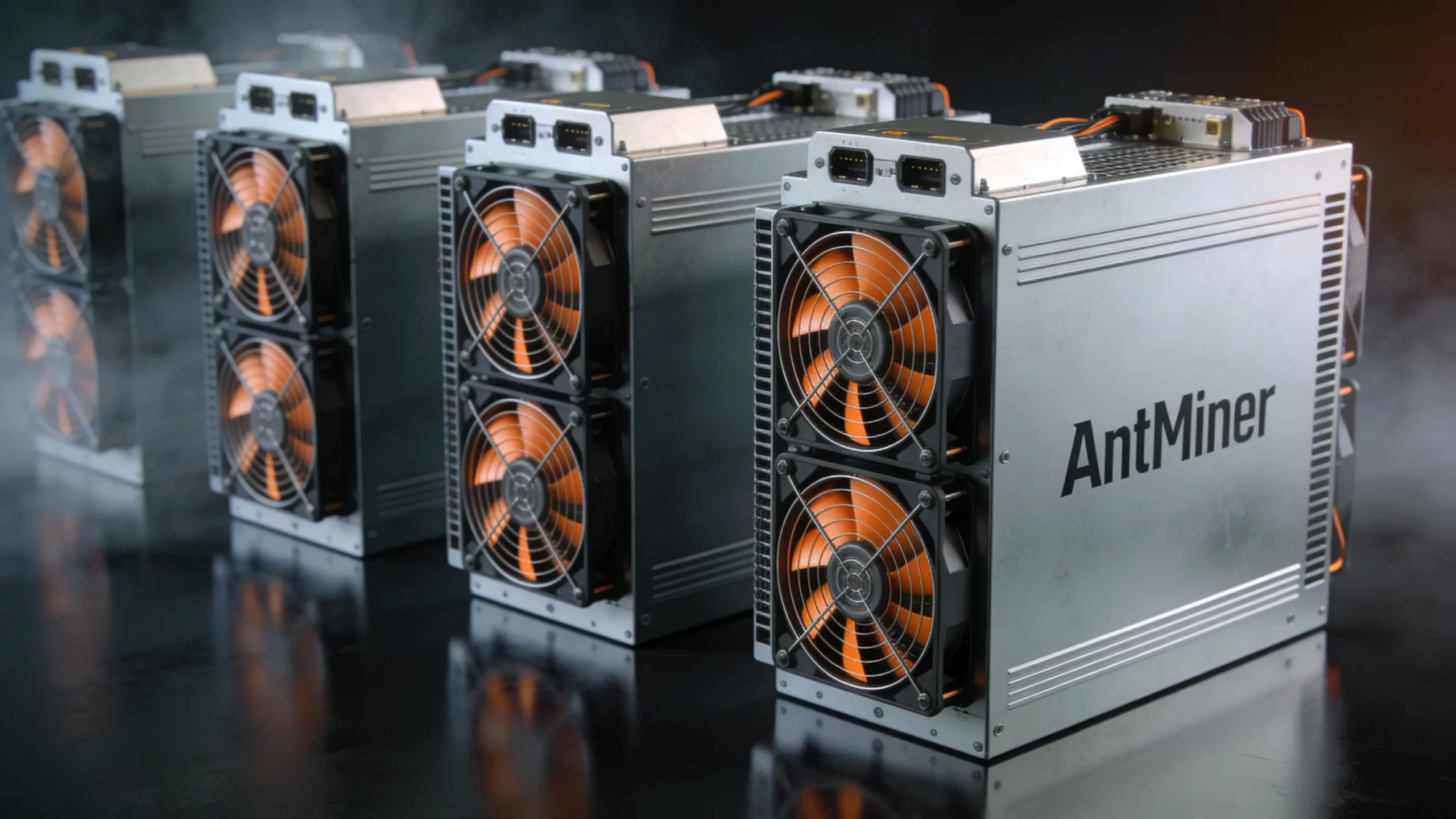
Chip Generations and PSU Impact
Different Antminer generations use different chip architectures, which affects how deep the optimisation can go. Older chips have limited tuning headroom, while newer chips benefit greatly from auto-tuning and precise voltage control.
Power supplies also play a major role. If a PSU is overloaded or unstable, even the best firmware cannot ensure stable performance. Vnish firmware helps match profiles to the PSU capacity, maintaining long-term reliability.
Cooling System Impact
Cooling conditions directly affect ASIC performance and longevity.
With climate-controlled rooms, firmware can run in more efficient fan modes, reducing noise and extending fan lifespan.
In hotter environments, optimisation becomes essential to avoid overheating.
For hydro-cooled Antminers, firmware supports additional monitoring tools such as fluid circulation tracking and temperature protection — crucial for high-power units generating significant heat.
Compatibility
Each firmware file is tied to a specific Antminer model. Installing an unsupported file may lead to errors or hardware malfunction.
That’s why it’s important to verify compatibility before updating.
On this page, users can find a full list of supported models and download the appropriate version.
Safe Download and Installation of Vnish Firmware
Installing firmware on your mining equipment requires careful attention. Incorrect steps can lead to malfunctions, so following the instructions, backing up configurations, and using verified files is essential.
Preparation Before Firmware Installation
Before updating your firmware, ensure the following:
1. Backup Configurations
Save settings like pool addresses and network configurations. This allows quick restoration in case of issues.
2. Stable Power Supply
Ensure uninterrupted power during installation to prevent corruption.
3. Check Network Connection
Avoid download or update interruptions by confirming a stable network.
4. Download from Official Sources
Only use verified firmware from official providers to prevent errors or malicious modifications.
Installing Vnish Firmware Using Hashcore Toolkit
The Hashcore Toolkit simplifies managing miners and installing firmware on multiple devices at once.
Follow these steps:
1. Open the miner group in Hashcore Toolkit. The program will automatically scan the network and display all active devices.
2. Select one or more miners for the Vnish firmware installation.
3. Click the Commands button and choose Install firmware.
4. In the installation settings, specify:
- Path to the firmware file
- Firmware name
- Firmware version
5. Click Install firmware.
6. After installation, verify device status in the Operations tab to ensure proper operation with the new firmware.
First Run and Verification
After installing the firmware:
1. Check Chip Temperature
Use the web interface or logs. If temperatures exceed permissible limits, reduce load or check cooling.
2. Verify Fan Operation
Ensure fans respond to temperature changes and all modules function correctly.
3. Confirm Hashrate
The hashrate should match the model specifications. Significant deviations may indicate configuration or hardware issues.
4. Check Logs and Pool Connection
Monitor logs for errors and verify that miners connect to pools without delay.
Following these steps ensures safe and efficient firmware installation on your mining equipment.
Initial Configuration and Tuning of VNISH Firmware
After safely installing VNISH firmware, the next step is initial configuration. This setup determines how your ASIC miner will operate daily, balancing performance, stability, and hardware longevity. The firmware provides tools for power management, fan control, and auto-tuning to optimize operations.
Power Profiles
VNISH firmware includes built-in profiles. You only need to select the desired profile, and the firmware will automatically configure your miner.
Energy-efficient profiles are suitable for high temperatures or older hardware.
High-performance profiles can be used with stable power supply and effective cooling.
These profiles allow users to quickly choose the optimal operating mode based on equipment condition, ambient temperature, and mining goals.
Fan Control and Thermal Safety
Proper cooling is critical. VNISH firmware includes a fan curve system, adjusting fan speed automatically based on chip temperature:
- Low temperature → minimal fan speed
- High temperature → increased fan speed
This ensures stable operation, reduces wear, and adapts to seasonal changes. The firmware also includes overheat protection, automatically reducing load or pausing operation to prevent damage.
Auto-Tuning
The auto-tune function optimizes chip frequency and voltage automatically:
- Tests each module and records results
- Creates a configuration balancing performance, energy consumption, and stability
- Duration varies by model and chip count, and must not be interrupted
Auto-tuning customizes settings for each miner, even if two devices are identical. Results remain valid long-term but should be repeated if operating conditions change, such as temperature or power supply.
FAQ
What level of knowledge is required to flash the miner firmware?
Is it possible to reset an ASIC to factory settings after using custom firmware?
Are there any risks when using custom VNISH firmware for ASICs?
It's free?
Start Optimising Your Antminer with VNISH Firmware
VNISH firmware is the key to maximizing mining efficiency. It helps reduce electricity costs, stabilize hashrate, and extend equipment life. With pre-configured power profiles and auto-tuning, even beginners can quickly optimise their miners for any operating condition.
A Complete Mining Management Ecosystem
VNISH is more than just firmware. It provides a full set of tools for efficient miner management:
- Monitoring panels – track temperature, fan speed, and hash rate in real time
- Error logs – analyse issues and prevent downtime
- Notification system – receive alerts for deviations or faults
- Step-by-step installation and configuration guides – ensure safe updates and setup
Take Action Today
Enhance your mining operations now:
Start optimising your Antminer fleet today with VNISH and enjoy stable performance, lower costs, and long-term reliability.
