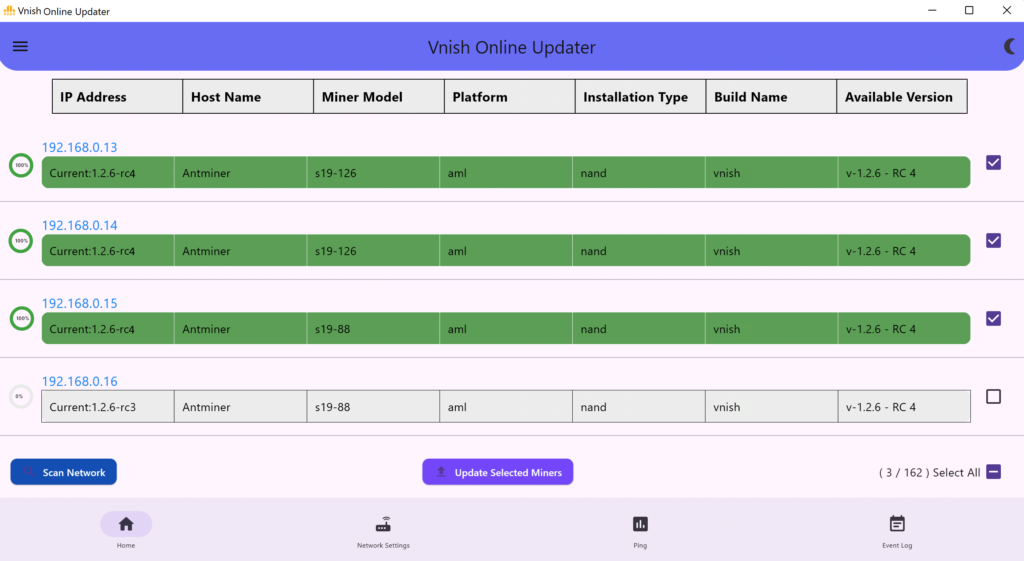
- Download and open the VOU (vnsih online updater).
- Select the “NETWORK SETTINGS” section:
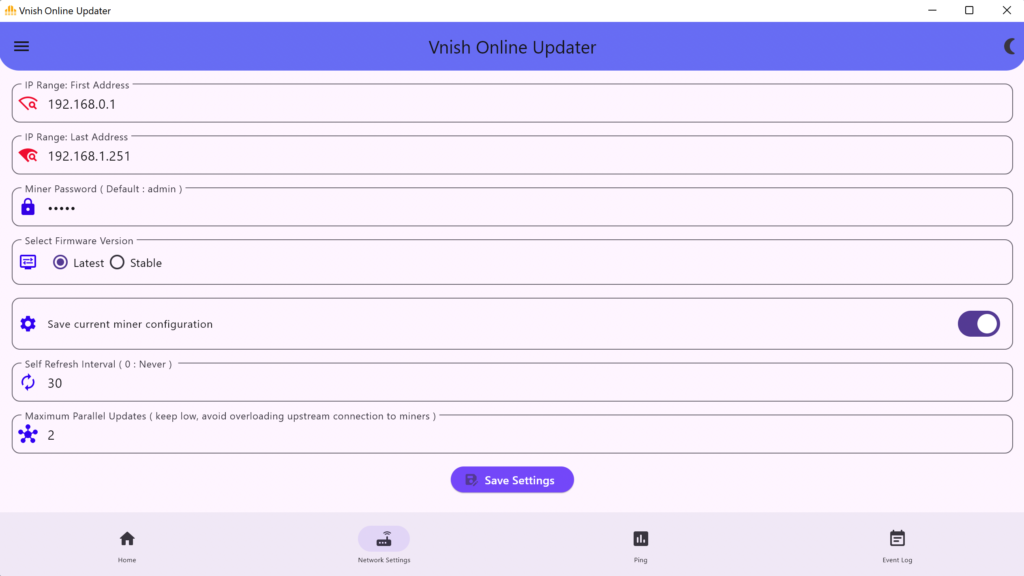
- Now you need to specify the IP address range of your miners (first and last IP address), for example 192.168.1.1 – 192.168.1.255, and if the miner password is not standard, you need to specify it in the miner password menu.
- We recommend selecting the LATEST version of the firmware as this version includes the latest improvements and bug fixes.
- Click save settings.
- Now select the “Main” section
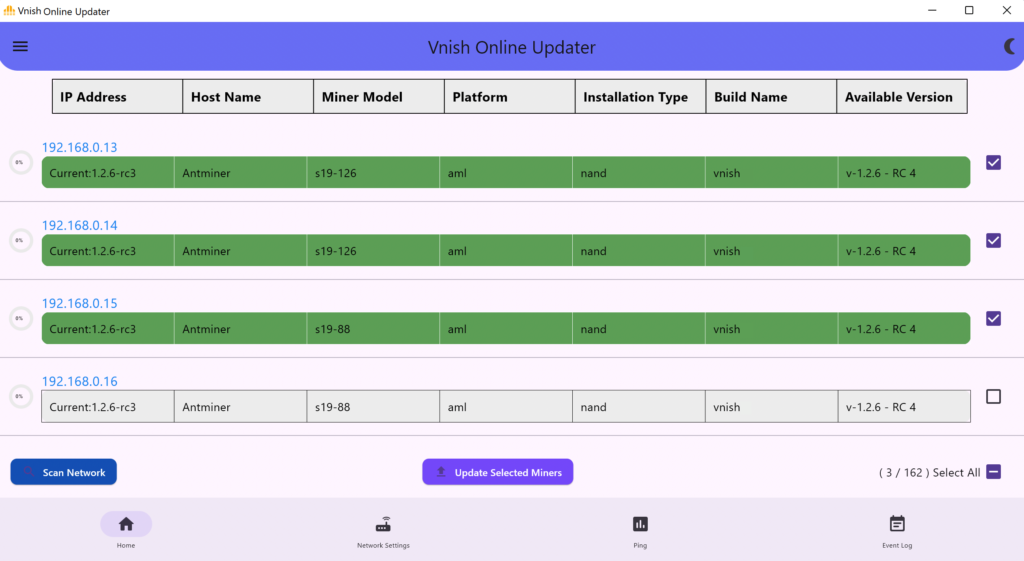
- Click “Scan network” and then select the miners you want to update, then click update selected miners and wait for the file with the required firmware to be downloaded and installed on the miners.