

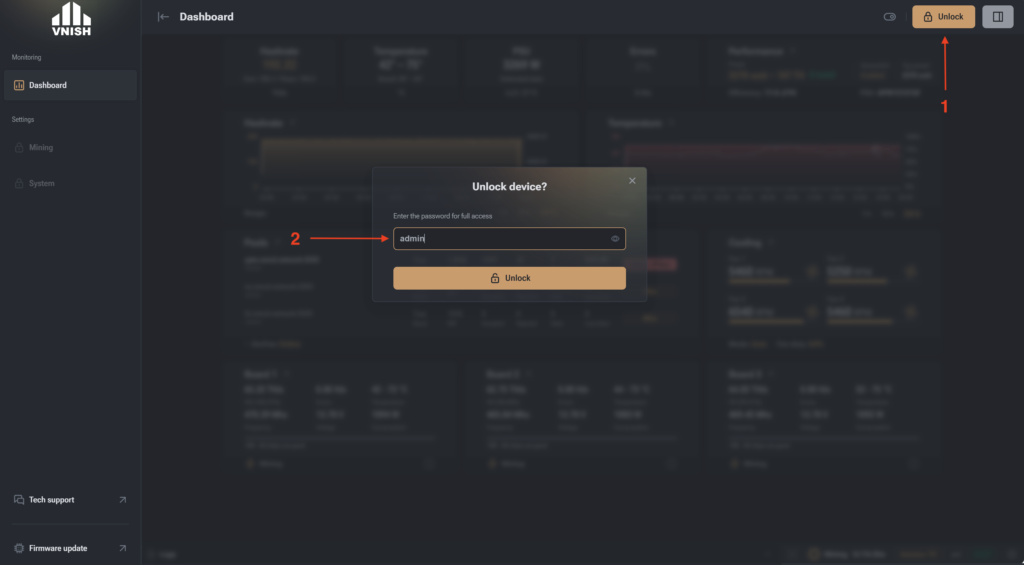
- Open the miner in the browser address bar and click Unlock
- In the window that appears, enter the password. Default: admin
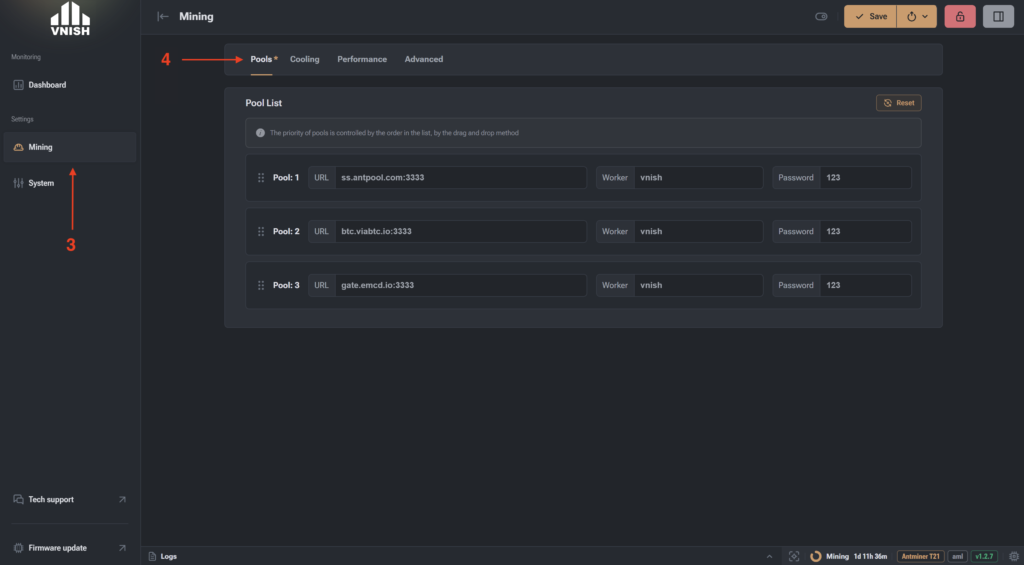
- Go to the “Mining” tab
- Open the “Pools” section and enter the stratums and workers of your pools. We recommend adding several different ones in case communication with one of the pools is lost.
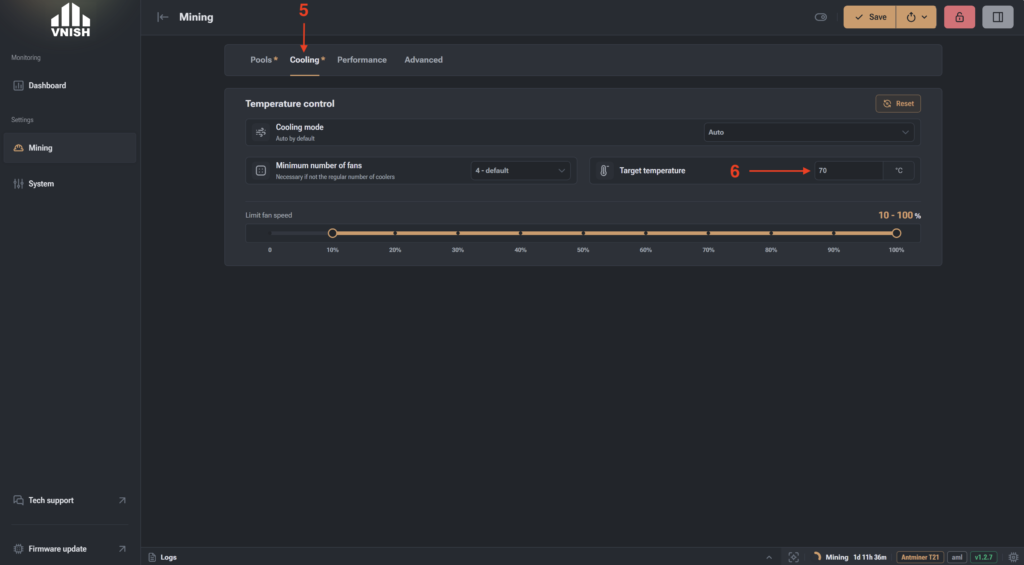
- Go to the “Cooling” tab
- Set the target temperature (Recommendation: 65-70°C)
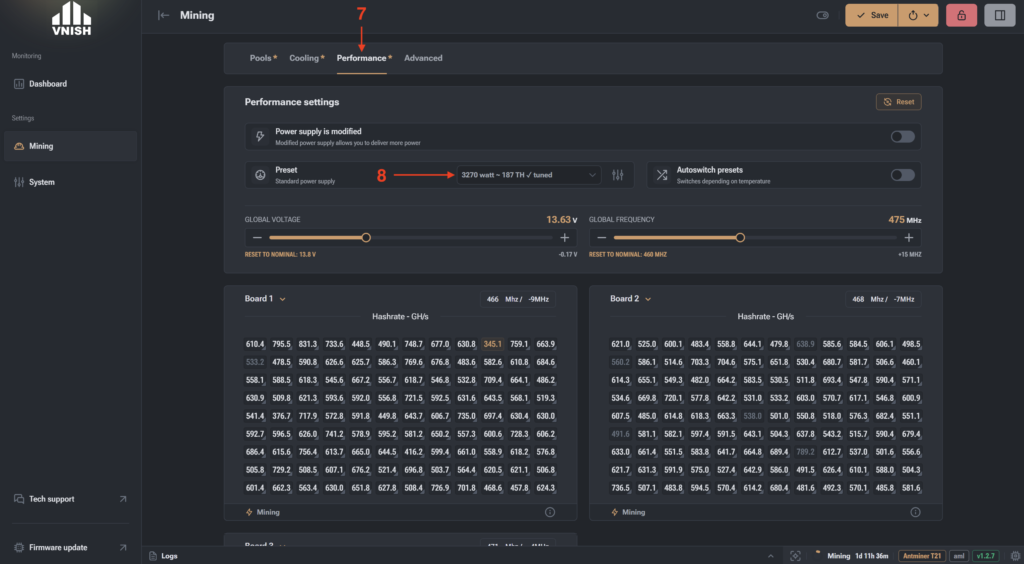
- Go to the “Performance” tab
- Select the overclocking profile (miner operating mode)
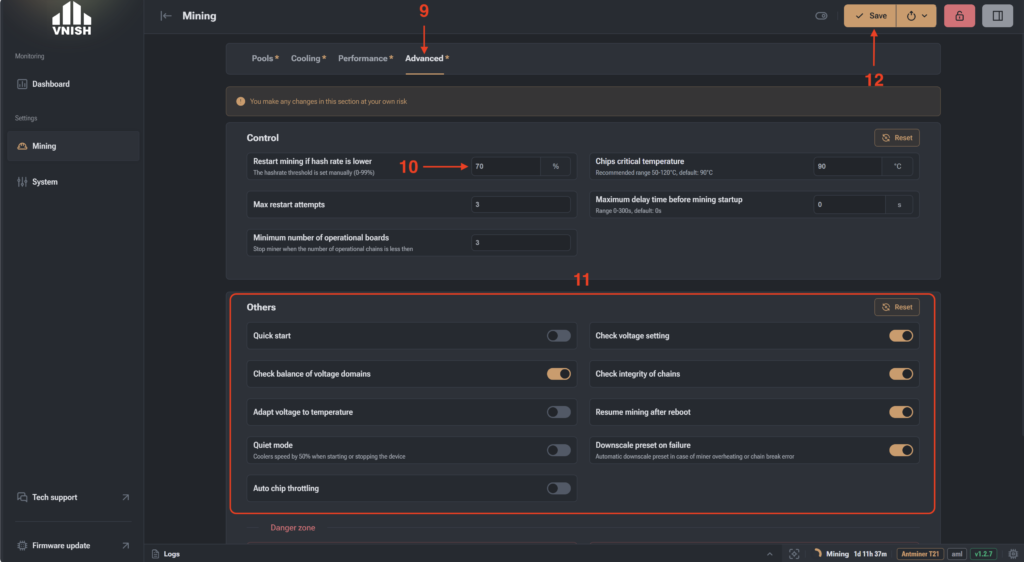
- Go to the “Advanced” tab
- Restart on low hashrate – 70 (when the hashrate drops by 30%, the miner will reboot)
- In the “Other” section, enable the following options:
- Check domain balancing
- Check voltage setting
- Check chain integrity
- Continue mining after reboot
- Downgrade profile on error
- Click Save and then Apply
- In the “Overview” section, you can see the miner status and that autotuning has started. Autotuning takes up to 2 hours, and after completion, the status will change to Mining.
