

-
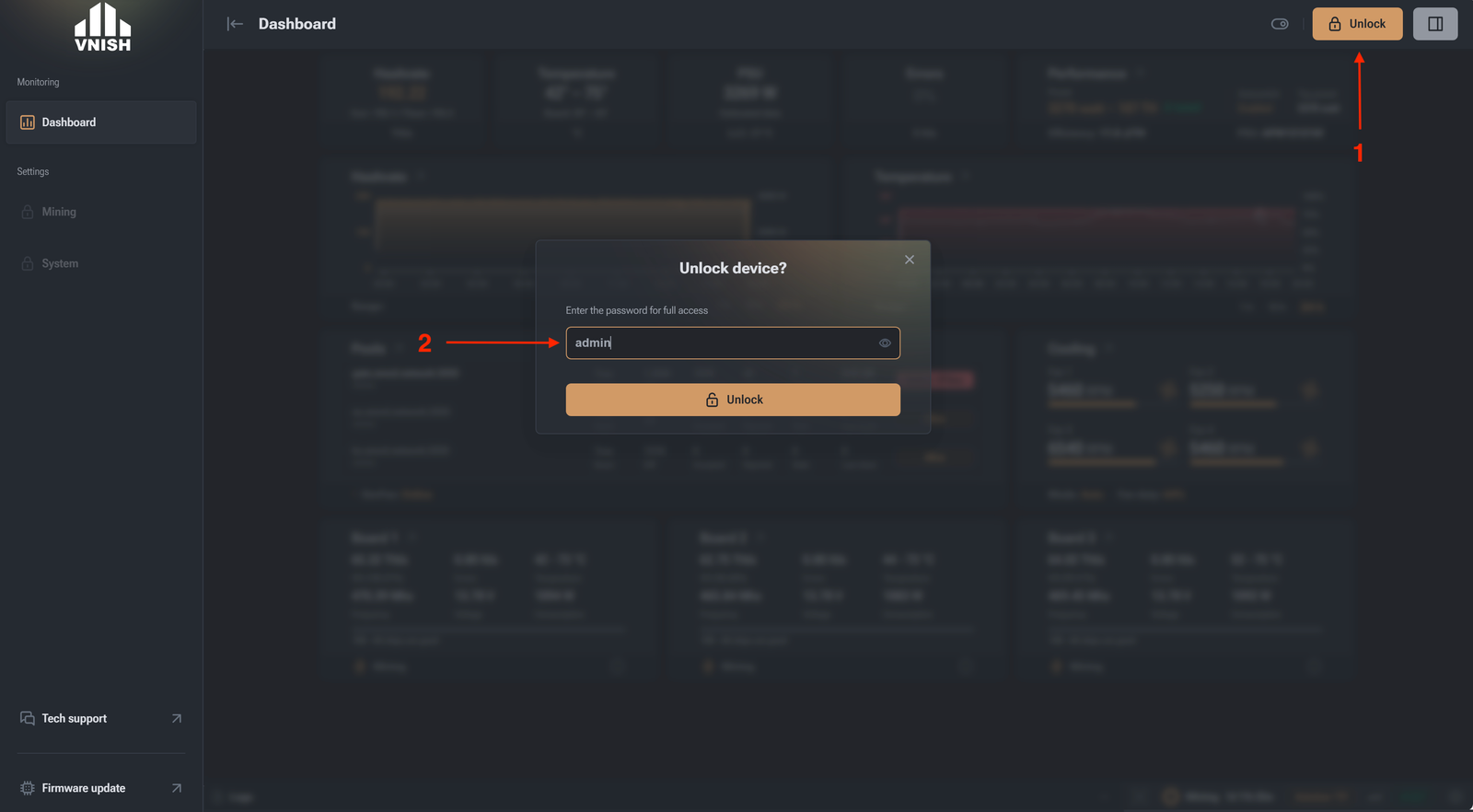
- Open the miner in the web browser bar and click unlock.
- In the window that appears, enter the default password: admin
- Go to the “mining” tab
- Go to the “performance” tab
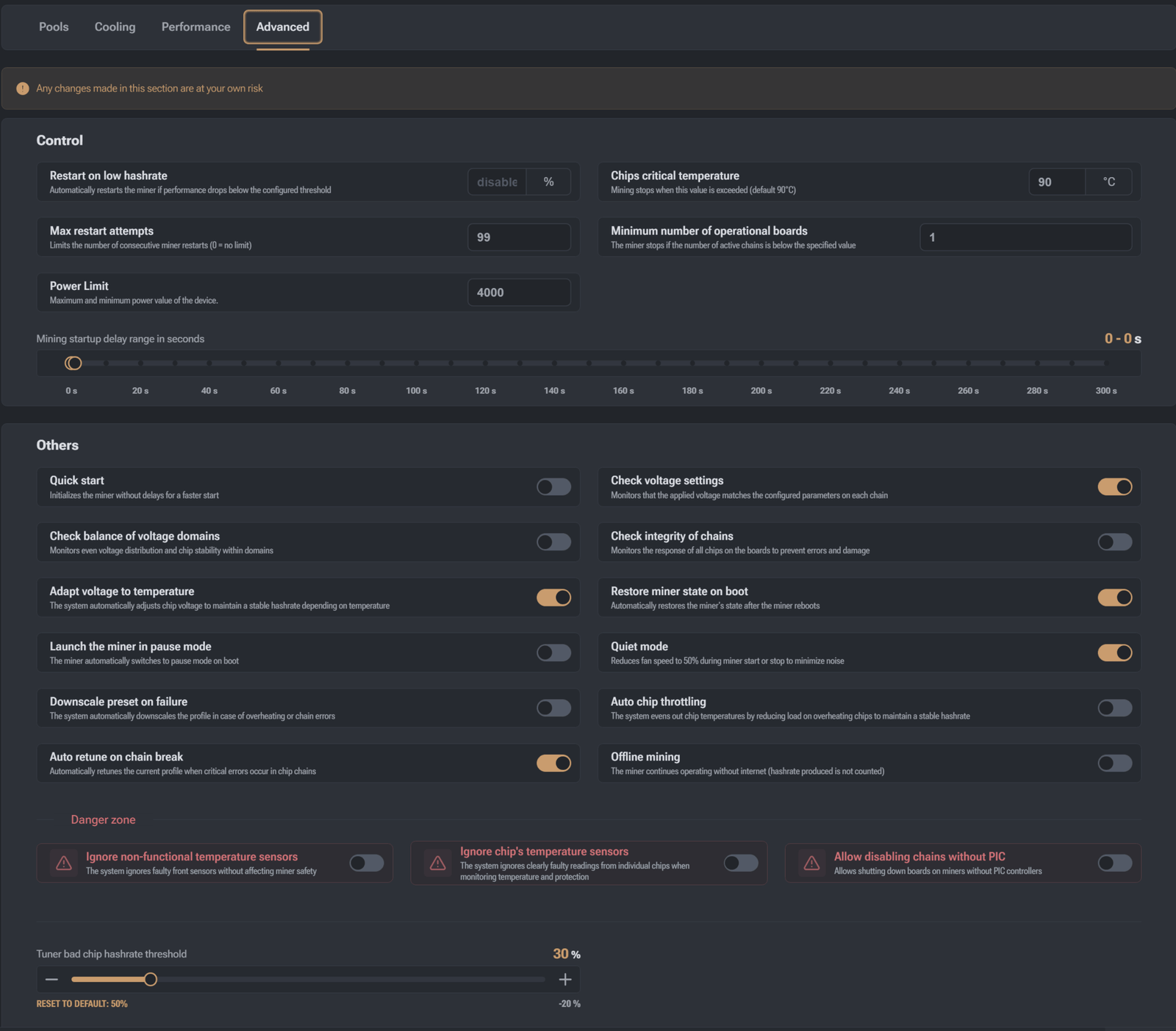 “Control” section:
 - Restart on low hashrate (specified as a percentage. Automatically restarts the miner if performance drops below the set threshold relative to the selected preset. Recommendation: set to 70%. If hashrate drops below 30% of the selected preset (miner operating mode), a restart will occur.)
- Power Limit – keeping the selected load at the appropriate hash rate correction)
- Max number of restarts (Limits the number of consecutive miner restarts when the restart on low hashrate function is triggered.)
- Critical chip temperature (Mining stops when this value is exceeded. Default is 90°C.)
- Minimum number of active chains (The miner stops if the number of active chains is less than the specified number.)
- Mining start delay range (Helps reduce sudden power spikes if needed. Specified in seconds.)
- Quick start (Starts mining without delays. Frequency on chips is set instantly rather than gradually if this function is disabled. We recommend gradual frequency increase on chips.)
- Check balance of voltage domains (This function monitors the uniform distribution of voltage and stability of chips within “domains” – groups of chips.)
- Adapt voltage by temperature (The system automatically adjusts chip voltage for stable hashrate when chips are cold and producing low hashrate.)
- Launch the miner in pause mode (The miner automatically switches to pause mode on boot )
- Downscale preset on failure (The system automatically downscales the profile in case of overheating or chain errors)
- Auto retune on chain break( Automatically the curent profile when critical errors occur in chip chains)
- Check voltage settings (Monitors whether the supplied voltage matches the specified parameters on each hashboard.)
- Check integrity of the chains (Monitors the response of all chips on the boards to prevent errors and damage.)
- Quiet mode (Reduces fan speed to 50% when starting or stopping the miner to reduce noise.)
- Automatic chip power regulation (The system balances chip temperatures, reducing load on overheating ones and increasing load on cooler ones for stable hashrate. Works on the 21 series where each chip has a temperature sensor.)
- Offline mining (The miner continues to operate when there is no internet connection. The generated hashrate is not counted by the pool.)
- Ignore non-working temperature sensors (The system ignores faulty front sensors without affecting miner safety.)
- Ignore temperature sensors on chips (The system does not take into account clearly erroneous readings from individual chips during temperature monitoring and protection.)
- Allow disabling chains without PIC (Allows disabling boards on miners without PIC controllers and running the miner with fewer boards without physically disconnecting the board.)