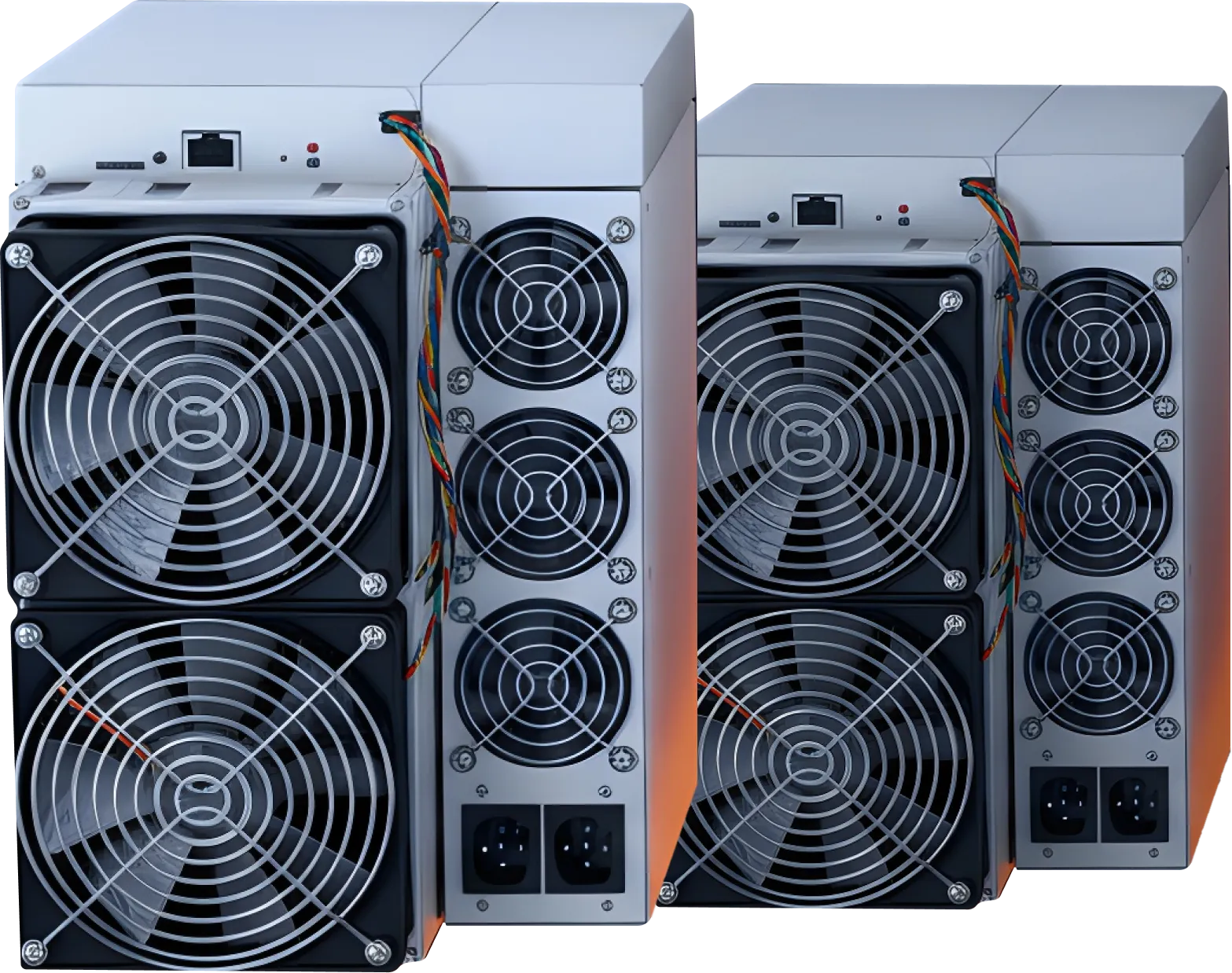
HashCore Toolkit — Mining Tool for Fleet-Wide Performance Control
Toolkit Version 1.6.1
HashCore Toolkit is a modern management tool for large cryptocurrency mining farms. It allows administrators to centrally update firmware, configure group power and fan profiles, and monitor miner performance in real time.
This tool simplifies daily operations and gives full control over the entire mining infrastructure:
- Quick diagnostics – identify and resolve issues across all devices
- Detailed reporting – generate performance reports for analysis and optimization
- Stable performance – ensure all miners operate efficiently without exceptions
- Reduced manual work – minimize human errors and free time for strategic decisions
With HashCore Toolkit, managing large fleets becomes easier, safer, and more efficient.
- If you don’t know what model or type of control board you have, you need to download the HASHCORE TOOLKIT + FIRMWARE SET (includes firmware for all models). The toolkit will automatically select the necessary firmware during installation.

Why a Centralised Toolkit Matters for Mining Operations
Efficient mining requires precision, stability, and consistent control across all devices. When a farm runs dozens or hundreds of ASICs, even small configuration mistakes or outdated firmware can lead to performance losses and downtime.
A centralised management system solves these issues by eliminating manual work and reducing operational risks.

Key Challenges Without a Toolkit:
- Manual firmware updates take hours when done device-by-device.
- Inconsistent settings across miners create instability and lower efficiency.
- Human errors cause misconfigurations, missed updates, and shutdowns.
- Routine tasks consume admin time, leaving less room for optimisation.
HashCore Toolkit centralises all operations, allowing administrators to update, configure, and monitor ASICs from a single interface. This increases stability, reduces downtime, and enables effortless scaling.

Eliminating Human Error
Manual configuration leads to typos, skipped devices, and outdated settings. HashCore Toolkit applies parameters to entire groups automatically and ensures consistent profiles across all miners, reducing the risk of misconfiguration.

Saving Time Through Automation
Admins can focus on energy optimisation, profitability analysis, and expansion planning instead of repetitive tasks. Firmware updates, profile changes, and device checks are handled centrally, in just a few clicks.

Performance Assessment Tools
The toolkit provides detailed statistics for each ASIC: efficiency, temperature, hash rate, consumption, and stability. This helps identify weak devices, test tuning profiles, and make informed decisions about optimisation.
Real Use Cases
Mass Firmware Updates
A single task pushes the latest firmware to all Antminers simultaneously, with automatic compatibility checks and a final report.
Group Power Profiles
Set consumption limits during peak tariffs or enable high-performance mode off-peak — all miners follow the same rules.
Monitoring & Reporting
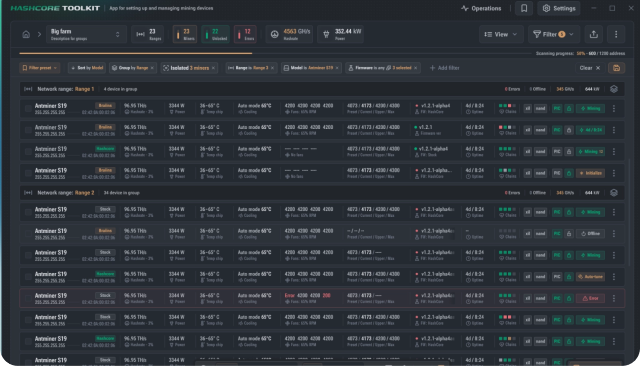
Admins track temperatures, hash rate, restarts, and alerts in real time and generate full farm performance reports when needed.
Team Auditing
Action logs show which administrator made which change, improving transparency and reducing errors.
Core Features of HashCore Toolkit
Centralised Firmware Management
Upload firmware once, create a mass-update task, and all devices receive the file simultaneously. The system checks compatibility, performs the update, and generates a summary report — ensuring consistency and saving hours of manual work.
Power & Cooling Group Profiles
Set shared power limits, frequencies, and fan speeds for selected miners. Automatically reduce consumption during peak hours or boost performance when electricity is cheaper.
Advanced Monitoring & Alerts
Real-time metrics include:
- hash rate
- chip & board temperatures
- fan speed
- power usage
- errors & restarts
Early alerts help prevent overheating and downtime.
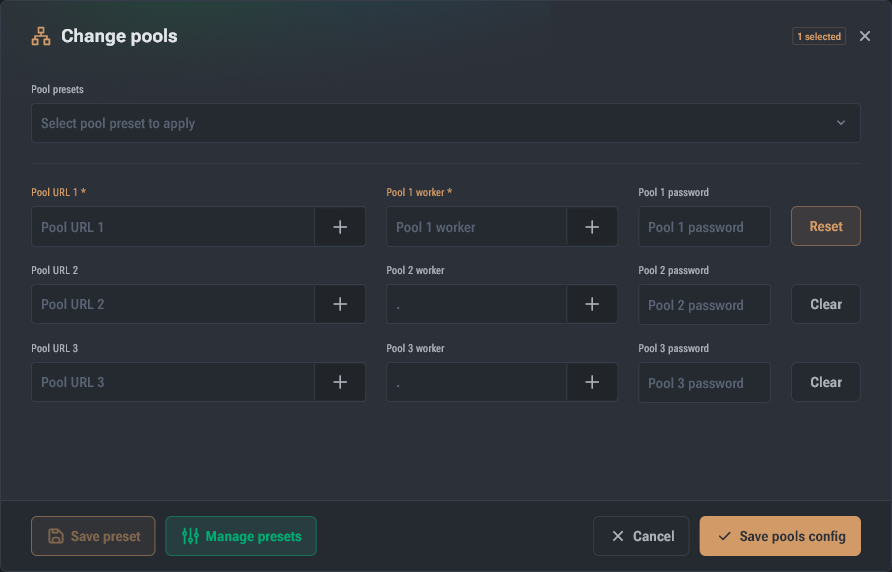
Remote Pool & Settings Management
Apply pool templates to hundreds of miners at once. All devices receive the same addresses, ports, and credentials without manual input — ideal for quick pool switches or testing new pools.
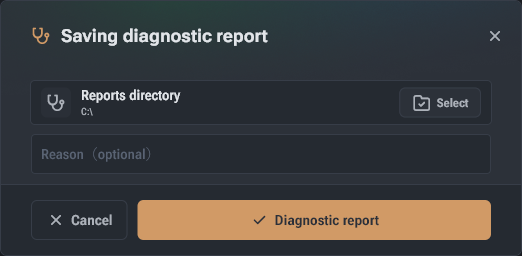
Reporting & Analytics
Export detailed reports to analyse long-term efficiency, compare profiles, track profitability, and plan device upgrades or replacements.
Cross-Platform Compatibility
Runs on Windows, Linux, macOS, and integrates easily into any mining environment — flexible for teams of any size.
Security & safe rollback to standard firmware
Encrypted communication, protected updates, and instant rollback ensure safe experimentation with firmware without risking the entire farm.
Installation & Toolkit

Operating systems:
Windows 10/11 (64-bit)
Linux (Ubuntu 20.04 LTS or compatible distributions)
macOS 10.15 (Catalina) or newer

Processor:
Minimum dual-core CPU @ 2 GHz Quad-core or higher recommended for large farms

Random access memory (RAM):
Minimum 4 GB 8 GB or more recommended for several dozen devices

Storage:
500 MB of free space SSD recommended for fast performance (especially when storing logs and backups)


Choose your operating system:
- Linux: Download .zip archive
- Windows: Download .zip archive
- macOS: Download .dmg package

- macOS: Double-click on the downloaded file
- Windows/Linux: Extract the archive contents to the desired location on disk

Open HashCore Toolkit from your applications
- Connect your mining devices
- (Optional) Configure the settings in the “Settings” section

- Monitor real-time statistics
- Optimize performance settings
- Receive instant notifications
After completing these steps, the system is ready to operate.
First launch checklist
To ensure that everything is configured correctly, administrators use a first launch checklist. It includes the following steps:
- Connection check. All miners should be displayed in the HashCore Toolkit interface. If any devices are not displayed, check IP addresses and network settings;
- Command testing. You can run a test parameter update for a selected group. If the system applied the changes and they were reflected in the device status, then the configuration is done correctly;
- Log checking. Logging should be enabled. If the log contains records for all actions, the system is ready for normal operation.
After completing this list, the administrator can proceed to full operation. HashCore Toolkit provides flexibility while maintaining control and transparency of all processes.
Common Workflows
1. Mass Firmware Updates
Upload firmware → Select miner group → Run update → Receive detailed report.
2. Monitoring
Track temperatures, hash rate, errors, and consumption in real time. Identify unstable devices and adjust profiles instantly.
3. Mass Pool Configuration
Create a pool template → Select ASIC group → Apply settings → Verify connections.
Compatibility & Integrations
Our firmware is fully compatible with major ASIC miners and mining farm infrastructures, ensuring stable, predictable, and efficient performance across a wide range of devices. It supports popular Antminer models—including the S19, S19 Pro, S19j Pro, S21 series, L7, and other widely used units—providing reliable autotuning, power optimization, and thermal stability for each hardware type.
The system automatically detects supported models, applies optimal configuration profiles, and includes rollback protection to ensure safe installation and recovery. Seamless integration with monitoring dashboards, centralised management systems, and farm‑level automation tools allows operators to maintain consistent productivity even in large, mixed‑generation environments.
Whether you’re upgrading a single rig or managing a multi‑megawatt farm, the firmware adapts to your infrastructure, improving energy efficiency, reducing W/TH, and ensuring long‑term compatibility with evolving mining hardware and operational requirements.